Portal Mayhem Scripts
Automation tools for scrap, craft, and dimensions — with honest risk warnings.
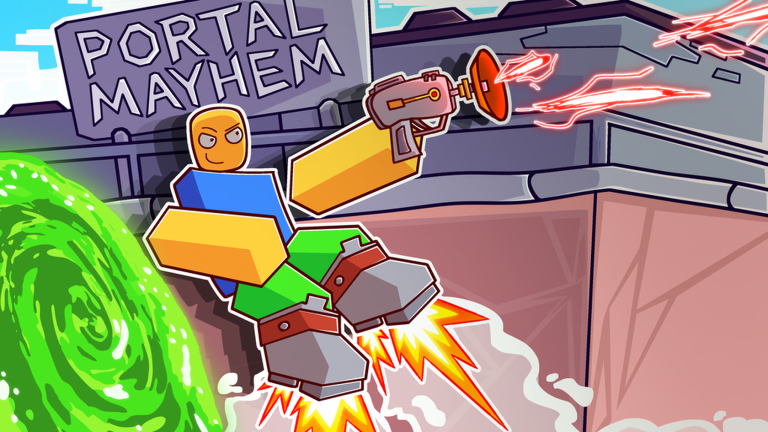
Scripts for Portal Mayhem
This hub covers community automation scripts used in Portal Mayhem, the free Roblox action sandbox by Eyfies. Scripts can speed up scrap collection, selling, crafting, dimension hops, and combat helpers — but they also violate Roblox Terms of Service and can get accounts banned. Read the safety section before you touch any loader.
The detailed auto-farm page lives at Auto Farm Script. That page includes the current loadstring, a full feature list, usage steps, and risk notes.
What automation typically covers
Portal Mayhem’s loop is built around scrap piles, selling, buying rocks, crafting advanced tools, implants, regen, arm attachments, and portal travel across dimensions. Auto scripts usually target that loop:
- Auto collect scrap (and one-shot collect modes)
- Auto sell and protected craft materials
- Auto buy rocks and auto craft
- Auto dimension travel
- Auto punch (often with unequip-to-punch logic)
- Auto regen, implant buys, and auto respawn
- ESP for players and scrap piles
- Stay-in-game helpers and debug print state
Those features map cleanly onto the systems described in Crafting & Scrap and Dimensions Guide. If you are still learning the manual loop, finish Getting Started first so you understand what the script is doing.
Safety and ToS (read this)
- Scripts break Roblox ToS. Detection can mean warnings, temporary bans, or permanent loss of the account.
- Use an alt account, never your main with limited items, Robux purchases, or rare unlocks.
- Prefer private or low-population servers when testing so you do not ruin other players’ sessions.
- Disable ESP or combat helpers in busy PvP moments if you are not ready for reports.
- Keep your executor updated from a source you trust; random “free script hubs” are a malware vector.
- If Roblox or Eyfies patches detection, loaders may stop working overnight — that is normal.
We document scripts because players search for them. Documentation is not an endorsement. If you want a clean progression path, stick to manual play: scrap → craft → gear → Prime.
How to use this wiki’s script pages
- Open Auto Farm Script for the loadstring and feature checklist.
- Install a Roblox executor on a disposable alt (your responsibility).
- Join Portal Mayhem (Place ID 124783046867240).
- Paste and run the loadstring only after reading the feature toggles.
- Start with scrap collect + sell; add craft/dimension options once the basics look stable.
Manual alternatives worth learning
Even if you later automate, knowing the manual loop makes farms safer and more efficient:
- Controls Guide — T/G attachments, Shift sprint, Ctrl shiftlock, punch
- Crafting & Scrap — sell timing, rocks, protect materials
- How to Beat Prime — boss unlocks scripts cannot replace forever
- Tier List Hub — which weapons and implants to craft toward
Related hubs
- Codes Hub — no verified codes as of late Nov 2026
- Guides Hub — full walkthrough set
- Players Hub — 12-player server etiquette and co-op tips
- Updates Hub — QOL and new dimensions notes
Scripts change when the game updates. After events like QOL and New Dimensions, re-test toggles and expect broken paths until maintainers refresh the loader. When in doubt, farm manually and keep your main account clean.
Frequently Asked Questions
Quick answers for Portal Mayhem players.
Where is the Portal Mayhem auto farm script?
See the Auto Farm Script page under this hub for the loadstring, features, and step-by-step usage notes.
Can I get banned for using scripts?
Yes. Scripts violate Roblox Terms of Service. Always use an alt account and accept the ban risk before running anything.
Do scripts replace beating Prime?
No. Boss unlocks, destinations like Find My Prime, and advanced cosmetics still need fight knowledge. Use the How to Beat Prime guide.
Is this wiki responsible if my account is banned?
No. You choose to run third-party tools. We only document features and risks so you can make an informed decision.