Portal Mayhem Controls
Every key that matters for attachments, sprint, shiftlock, and punch.
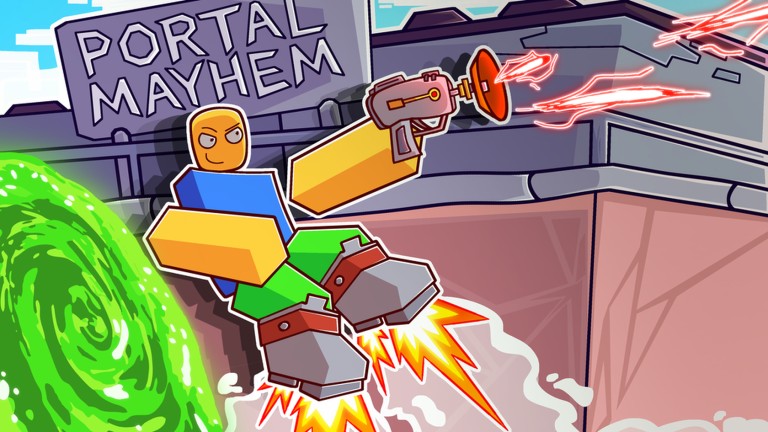
Why controls matter in Portal Mayhem
Portal Mayhem’s SciFi battlegrounds fantasy only works if you actually fire arm attachments, sprint between scrap piles, and lock your camera when plasma beams start flying. This page is the dedicated controls reference for Eyfies’ Roblox experience. Pair it with Getting Started for the day-one loop and How to Beat Prime for boss timing.
Core control table
| Input | Action | Notes |
|---|---|---|
| T | Activate Right Arm Attachment | Press deliberately in combat; do not save it forever |
| G | Activate Left Arm Attachment | Mirror of T — practice both so you are ambidextrous under stress |
| Shift | Sprint | Use between scrap nodes and to kite during regen |
| Ctrl | Shiftlock | Stabilizes aim for plasma gun / dual miniguns |
| Left Click | Punch | Works when no items are equipped |
Default Roblox movement (WASD), jump, and camera still apply. If you rebound keys in Roblox settings, update your muscle memory before a Prime attempt.
Arm attachments (T and G)
Attachments are a huge part of the craft fantasy — left and right arms can carry different tools. New players craft a cool attachment then forget to press T/G. Fix that habit in a quiet dimension:
- Equip left and right attachments from your crafted kit (Crafting & Scrap).
- Fight a low-threat pack.
- Alternate G → primary fire → T on cooldown.
- Sprint away if regen drops.
On the Weapons Tier List, attachments sit in high A-tier because they multiply gun performance. During Prime, attachment bursts often cover reload or overheat windows.
Sprint (Shift)
Sprint is not only for travel. Use it to:
- Chain scrap piles efficiently
- Break line of sight in 12-player PvP
- Reposition for spaceship boarding
- Create space while regen ticks
Holding sprint mindlessly into a bad angle still gets you deleted — sprint with intent.
Shiftlock (Ctrl)
Shiftlock keeps your character facing the camera direction, which helps tracking mobile targets and boss telegraphs. Toggle it when you switch from looting to shooting. Some players leave shiftlock on almost always; others toggle per engagement. Pick one style and stick with it for a full session so your plasma / minigun aim stays consistent.
Punch rules (Left Click)
Punch is the early-game equalizer and a late-game emergency:
- Requires empty hands — if a gun or item is equipped, punch will not behave as expected.
- Unequip to fist after respawn if you need an instant melee option.
- Scripts often include “unequip weapon to punch” for this reason (Auto Farm), but on a legit main you should unequip manually.
Once plasma-quality guns exist, punch drops to D-tier as a primary. Keep the skill, not the ego.
Suggested practice routine (10 minutes)
- Empty-hand punch on a dummy threat or scrap guard.
- Equip plasma or best gun; enable shiftlock; track while strafing.
- Fire right attachment (T), then left (G).
- Sprint to a scrap node, sell or bank, re-equip.
- Portal to a mild dimension (Dimensions) and repeat under live pressure.
Combat tips that are really control tips
- Do not hard-commit sprint into Prime mechanics you have not watched yet — see the boss guide video section.
- Rebind awareness: if Ctrl conflicts with another overlay, fix it before blaming the game.
- Co-op calls: when a friend peels Prime, call “T ready” / “G ready” so bursts land together (Players Hub).
- After updates: QOL patches can tweak feel — re-test bindings after QOL and New Dimensions.
Related pages
- Guides Hub
- Getting Started
- Crafting & Scrap
- Tier List Hub
- Scripts Hub — automation that fakes inputs still needs you to understand these keys
Master T, G, Shift, Ctrl, and empty-hand punch. Everything else in Portal Mayhem — scrap routes, dimension hops, Prime clears — builds on that foundation.
Frequently Asked Questions
Quick answers for Portal Mayhem players.
What does T do in Portal Mayhem?
T activates your right arm attachment. Use it on cooldown in fights instead of saving it forever.
What does G do?
G activates your left arm attachment. Practice both arms so you can burst during boss windows.
Why won’t I punch?
Left Click punch only works with no items equipped. Unequip your weapon first.
Should I play with shiftlock on?
Most ranged players benefit from Ctrl shiftlock for tracking. Toggle or leave on — stay consistent.
Is sprint only for travel?
No. Use Shift to kite, break line of sight, and rotate between scrap nodes under pressure.